The speed of progress in the AI space right now is truly staggering. I don’t really write much code anymore, but instead direct an AI to do it for me.
It felt odd at first, but now it does not really bother me anymore. I guess solving problems and developing solutions, architecture, design etc. is what I find most interesting anyway, so the code was a means to an end, and this part is now faster than ever to get out the door.
Besides the stuff I do on the day job, I have been working on two small projects on the side that are ready for the world now:
FitKeep is a backup and basic analysis tool for fitness data, specifically .fit files right now. It connects with Garmin, and I hope to Coros support soon.
Is It Warm answers a question I often ask myself. “It sure feels unusually warm today, but is it really?” or perhaps the shorter “is it warm today?”
Both projects were primarily created for myself. I have no business plan for them, and anyone other than me using them would just be a delightful bonus.
Besides these new sites, I also recently modernized both Photo Amaze (Python 2.7 to 3.14) and OTB (Create React App to Next.js). I didn’t have the time and energy for this before AI made a lot of the grunt work possible to do, which is really nice.
It’s difficult to say what the commoditization of code means for the software industry and me personally. I have opinions… but well, I’m not going to share them here, because I have been wrong about the future before, especially when it comes to AI.
I managed to reduce a PostgreSQL view’s query time by more than 80% with just the two keywords NOT MATERIALIZED and by reading the actual database manual when GPT-4 gave up.
Below, I will explain the context of the speedup.
I recently moved a little bit of business logic from an API endpoint and into a PostgreSQL view, because it made some things a bit easier to manage. The view uses common table expression (CTE), and one of them looks something like this (not the actual code, but very similar):
WITH first_and_last_score AS (
  SELECT DISTINCT ON (company_id, user_id)
    company_id,
    user_id,
    LAST_VALUE(score) OVER (PARTITION BY company_id ORDER BY created_at) AS last_company_score,
    LAST_VALUE(score) OVER (PARTITION BY company_id, user_id ORDER BY created_at) AS last_user_score
  FROM scores
)
-- ...
-- more CTEs and queries
-- ...
The query finds the last score for each company and the last score for each user in that company using the LAST_VALUE window function.
I was not particularly nervous using the above code for live data, because I knew that the view would always be used with a filter on company_id, and the CTE would thus not to a full table scan of the scores table because the query optimizer would be smart enough to filter the score table first.
Alas, when profiling the view, it was indeed making a table scan on the scores table in my view, and it was a major bottle-neck for performance.
It took several hours with trial and error to figure out what was going on, until I finally decided to actually read the Postgresql manual on CTEs, specifically how CTEs are automatically folded into the parent query:
“… it can be folded into the parent query, allowing joint optimization of the two query levels. By default, this happens if the parent query references the WITH query just once, but not if it references the WITH query more than once“ (Emphasis mine)
The problem was that I referenced the scores CTE twice and thus it was materialized and did not take advantage of the filter on company ID, I was using on the view.
In the end, adding NOT MATERIALIZED to the CTE was the fix:
WITH first_and_last_score AS NOT MATERIALIZED (
  ...
)
Just this change made reduced query time by roughly 80% for most queries to the view, and since the view was ultimately being served to a front-end, it was the different between “this feels a bit slow” to “this feels instant”.
I am blown away by VQGAN+CLIP, a pair of neural network architectures that can be used to generate images from text. When I wrote my previous post on “A game of AI telephone“, it was not clear to me yet how exciting this technology actually is. Or rather, I had not used the right text prompts yet.
To generate an image, the input text can be written in a way that both changes the content and the style of the generated image. The neural networks don’t always produce photo-realistic and coherent output, so if we only describe content, and not style, the results often look distorted or end up in uncanny valley, especially when depicting people or animals.
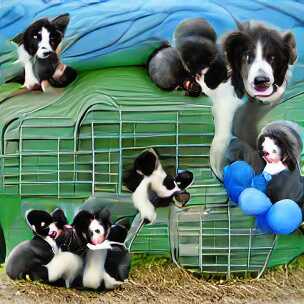
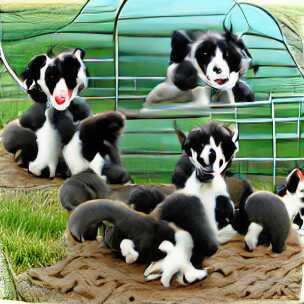
For example, these images of “border collie puppies” are not very nice:
Two VQGAN+CLIP outputs for the prompt “border collie puppies”, after 500 iterations.
However, playing around with the words in the text input can yield very different results. “Finding the right text” even seems to have led to a new term called “prompt engineering”. Although it is the neural networks doing all the hard work of generating images, combining the right words to produce interesting outcomes is almost an art in itself.
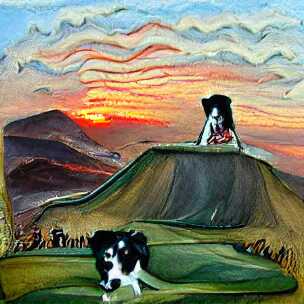
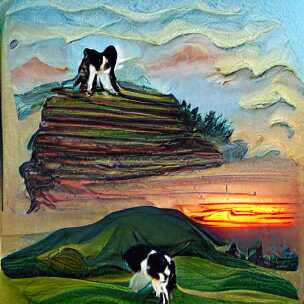
Modifying the above “border collie puppies” example to include a setting (hill) and style (painting) already produces more interesting outputs on the first try:
Prompt: “a painting of a hill with a border collie puppy standing on top looking at the sunset”
The keyword “painting” is part of the reason that the images look like actual paint strokes. The border collie dog is still not looking very good, but because the final image is a bit more abstract, it does not matter so much.
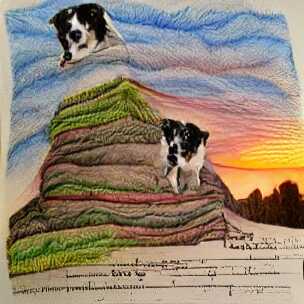
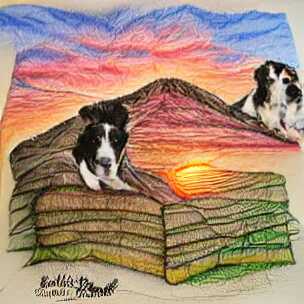
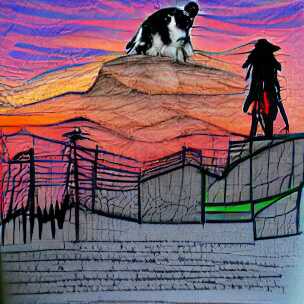
Changing “painting” to “pencil drawing” gives slightly different results. Notice that the texture is less paint-brush and more pencil-like (if you squint a little), and we also get what appears to some sort of text (no idea why):
Prompt: “a pencil drawing of a hill with a border collie puppy standing on top looking at the sunset”
This way of changing the prompt slightly is quite fun (and time consuming), and people have come up with all sorts of tricks. I am, for example, quite fascinated by the “cyberpunk” aesthetic which I first saw from Rivers Have Wings as well, although that example is using a different generator than VQGAN.
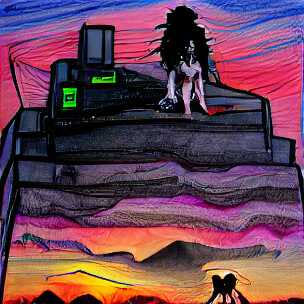
Cyberpunk does not seem to work very well for the existing border collie prompt though, at least not without further tweaking:
Prompt: “a hill with a border collie puppy standing on top looking at the sunset | cyberpunk drawing”. The “|” character actually creates two prompts.
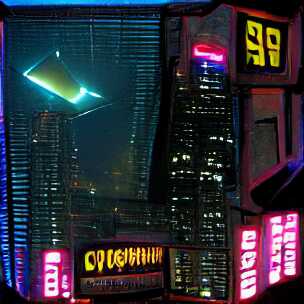
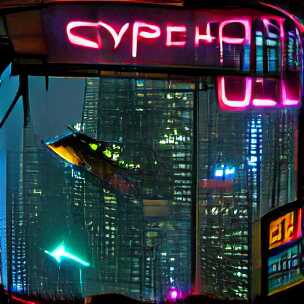
It works better for cities:
Prompt: “a spaceship flies over the neon-lit skyscrapers|cyberpunk”
You can probably see where this is going: Down a rabbit-hole of experimentation.
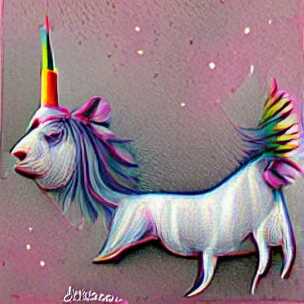
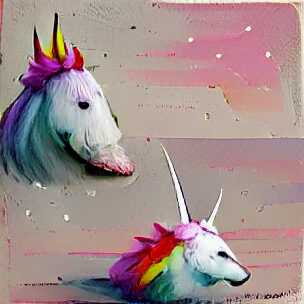
At this point, it is worth backtracking a bit and mention that there are still simple input prompts (without a specified style) that produce fun outputs. Here are two examples of “a unicorn”:
Prompt: “a unicorn”. Let’s be honest, we don’t really know how unicorns look, so who can say these are wrong :-)
But to me, the most fun comes from using slightly longer texts to see what comes out of it.
One idea I am playing around with is to take text from other sources and see what the networks come up with. For example, how about the legendary, somewhat-improvised, “tears in the rain” monologue from Rutger Hauer in Blade Runner. To jolt your memory:
I’ve seen things you people wouldn’t believe. Attack ships on fire off the shoulder of Orion. I watched C-beams glitter in the dark near the Tannhäuser Gate. All those moments will be lost in time, like tears in rain. Time to die.
Roy Batty / Rutger Hauer – Blade Runner
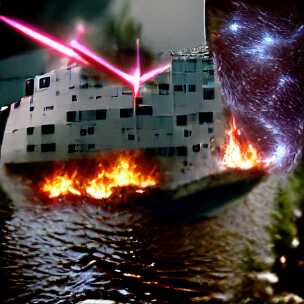
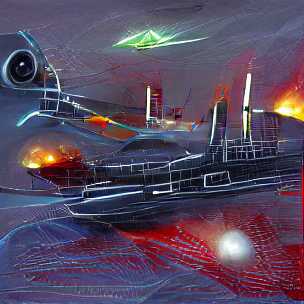
If there was ever a quote that deserved to be illustrated, it is this one. Let us try it, but only include the middle part, i.e. “Attack ships on fire off the shoulder of Orion. I watched C-beams glitter in the dark near the Tannhäuser Gate”:
Image generate from the tears in the rain monologue from Blade Runner
Ok, well, that’s not really coherent is it? It looks like a collage of a battle ship, laser beam, fire, water and starry sky just mixed randomly together. A bit disappointing, but as I mentioned above, the style is often quite important.
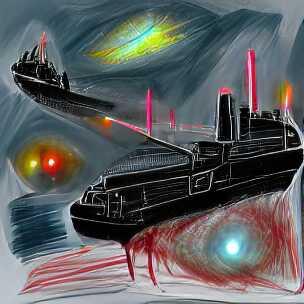
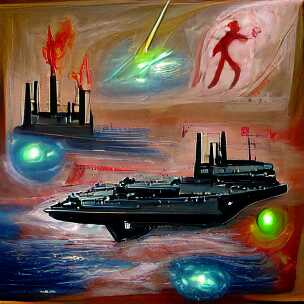
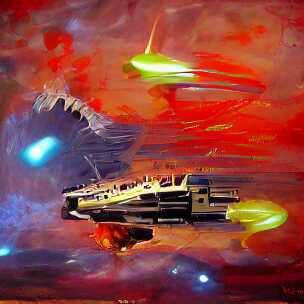
And looks what happens when we simply add “science fiction painting” to the prompt:
Image generate from the tears in the rain monologue from Blade Runner, in the style of “science fiction painting”
Wow, that is quite different. Personally, I find this very satisfying to look at. I would probably even hang one of these on my wall!
As a side-note, I often find the outputs of the early iterations quite interesting to look at as well. The above images are from the 500th iteration of the generation, but already after 50 iterations, they both have a certain artistic quality to them, especially the second one which I like better than the final output (look at those colors!):
After just 50 iterations of the tears in the rain monologue, the images are already interesting and look quite different form the final output.
Roy Batty was an AI right? What if we take a modern-day “AI” and produce some text, then use this as a prompt to our image generator.
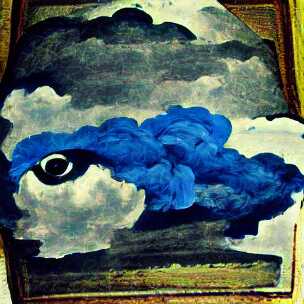
Using the gpt-neo-1.3B text generator with the text seed “The sky”, here are two example outputs:
The sky was like a black cloud, and a man was standing there, his eyes blue and staring.
gpt-neo-1.3B with seed text “The sky”
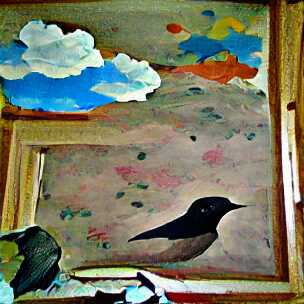
The sky was clear. A blackbird had come, had flown into the room and was now looking up at the ground.
gpt-neo-1.3B with seed text “The sky”
In both cases, I added “painting” as style since that seem to work quite well in general.
Images generated from AI-generated text
Ok, so it chose to ignore the “man was standing there” part but at least it generated an eye surrounded by blue. And it depicted a black cloud and clear sky in both cases, as well as the outline of a blackbird.
All I did here was come up with “The sky” and through a series of steps, the neural networks did the rest. This idea of almost 100% AI generation of related text and images is quite fascinating to play around with.
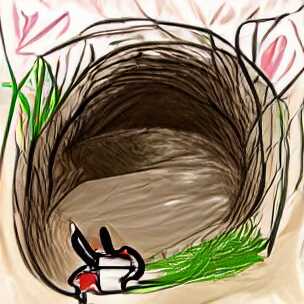
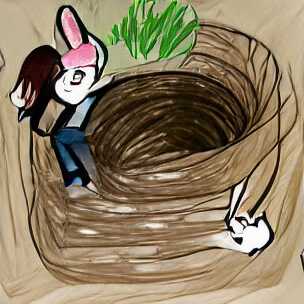
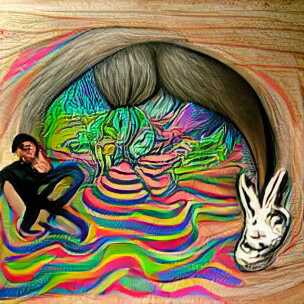
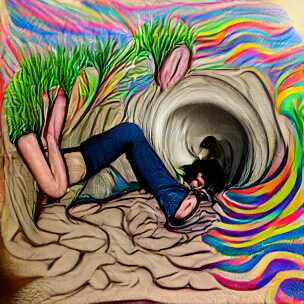
On that note, I will end the post here and continue down the rabbit-hole for a bit longer. Here are two renditions of “a drawing of me going down a rabbit-hole” and two where I added “psychedelic surrealism” to the prompt, because why not.
Prompt: “a drawing of me going down a rabbit-hole | psychedelic surrealism”
Goodbye.
(All the images in this post are generated using default settings from this generator script. They are not hand-curated, i.e. they represent more-or-less the first output for each of the prompts. With a bit of curation, and experimentation, your results will be much better, as demonstrated by other authors.)
I have used fasttext for language detection a few times, but I always seem to forget how to install and predict the language, so I created this little gist to remind myself of how to download, instantiate the model and predict the language of a piece of text.
In my continuing exploration of generative adversarial networks, I found “The Painting Dataset” and wrote a short script to extract the images from it. Only about 1200 paintings seems to be valid, but it is at least something.